A Practical Guide to Increase in Web Traffic for UK Startups
%20(1).avif) Written by Derrick Kityo
Written by Derrick KityoDiscover how to increase in web traffic with proven SEO, content, and performance strategies tailored for UK startups using Webflow.
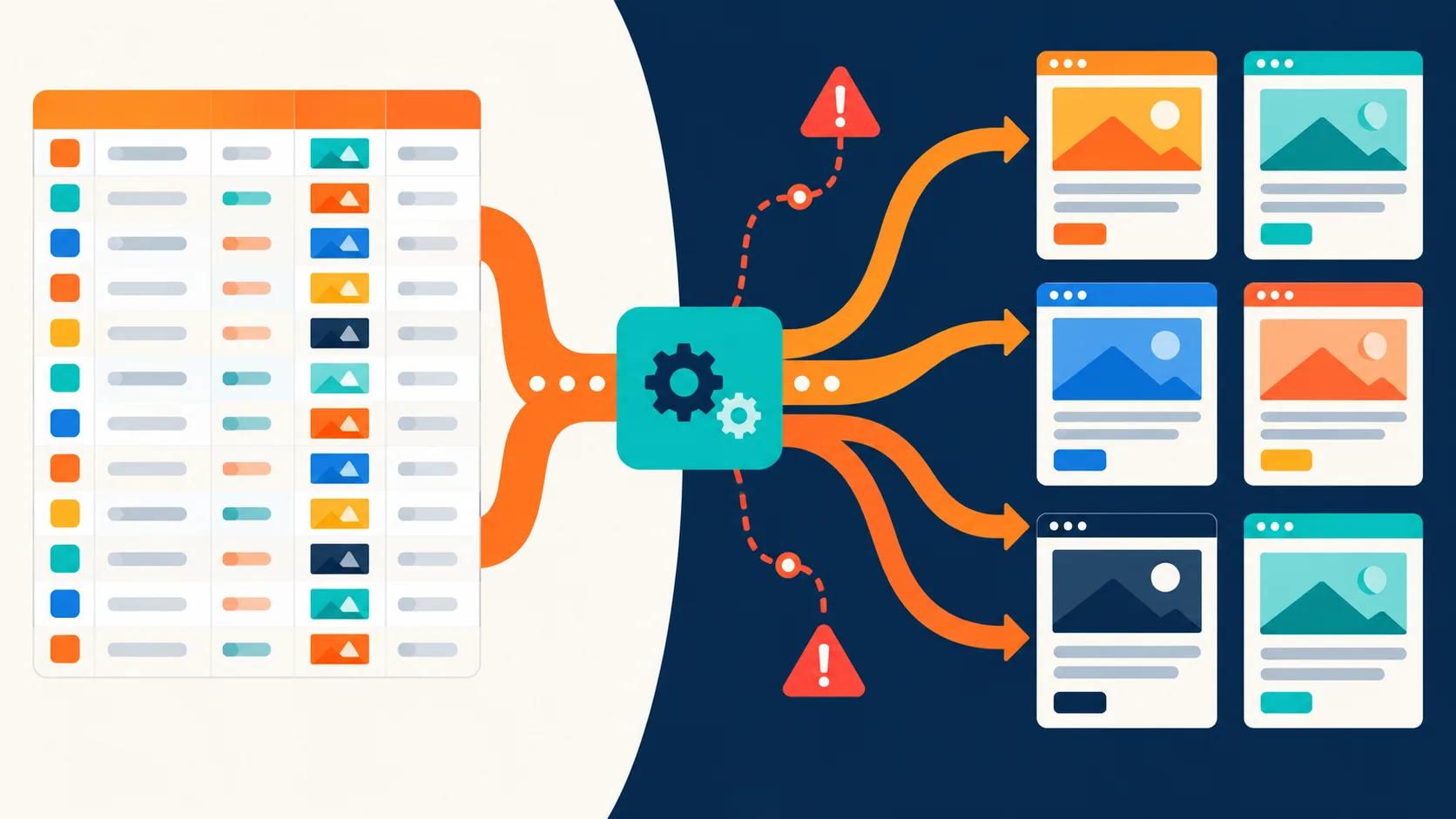
Before you can even think about bringing in new visitors, your website needs to be a place Google loves to hang out. A rock-solid technical SEO foundation is the engine of your digital presence. Without it, every effort you make to boost your traffic is like pouring water into a leaky bucket.
This isn't just theory; it’s a hands-on checklist for getting things right in Webflow from day one.
Building a Technical SEO Foundation in Webflow
Chasing more traffic without a proper technical setup is a classic rookie mistake. All your hard work on content and outreach will fall flat if search engines can't efficiently crawl, understand, and rank your site. Building this foundation directly within Webflow isn't just a "nice to have"—it’s the absolute first step.
Getting your hands dirty with this means:
- Optimising your site structure: Creating a logical hierarchy that makes sense to both real people and search engine bots.
- Cleaning up your sitemap: Handing Google a clear, accurate roadmap of all your important pages so it can index them faster.
- Fixing crawlability issues: Hunting down and eliminating those silent traffic killers like broken links and redirect loops.
- Implementing Schema markup: Adding structured data to help your site stand out with those eye-catching rich snippets in the search results.
This entire process, from structuring your site to fine-tuning on-page elements and adding schema, is what separates the sites that grow from the ones that stagnate.
As you can see, a logical structure is the bedrock. Get that right, and your on-page and schema optimisations become infinitely more powerful.
Crafting Meta Data That Earns Clicks
Think of your meta title and description as your tiny advert on the search results page. A compelling one can dramatically boost your click-through rate (CTR), even if you aren't sitting in the top position.
In Webflow, you can easily tweak these for every single page under the "Page Settings" panel. The goal isn't just to stuff keywords in there. It's to craft a message that connects with a user's search query and promises a clear solution. For a deeper dive into the platform-specific settings, our complete guide on Webflow SEO and how to optimise your website provides a step-by-step walkthrough.
Mastering Site Structure and Indexing Control
A clean site structure is a massive signal to Google. It helps the algorithm understand the relationship between your pages and figure out which ones are the most important. Webflow's folder system for Collection Pages is perfect for creating these logical content hubs (e.g., /blog/your-post-title ).
Just as important, though, is telling Google which pages to ignore . Use the robots.txt settings in your Webflow project to block crawlers from thank-you pages, internal drafts, or staging subdomains. This focuses Google's limited "crawl budget" on the pages that actually matter for driving traffic.
A well-organised site isn't just for users; it's a direct signal to search engines about your site's quality and relevance. A clean sitemap and smart use of robots.txt ensure search engines spend their time indexing your most valuable content.
Prioritising Mobile and Site Speed
These days, technical SEO is completely intertwined with user experience, especially on mobile. Mobile web traffic in the UK has exploded, making up a massive 66.02% of all visits as of December 2023. That’s a huge shift in how people browse.
For any startup, this means your Webflow site has to be fast. Blazing fast. Users form an opinion in less than a second, so there’s no room for error. Optimising your images, making full use of Webflow's responsive features, and keeping custom code lean are all non-negotiable.
These are just some of the foundational pieces. To see how these technical fixes fit into a broader growth plan, exploring these Actionable Strategies to Increase Website Traffic can provide a more complete picture. Getting the technical details right from the start ensures you’re ready to capture this massive mobile audience.
Crafting On-Page Content That Converts
Getting your technical SEO right lays the foundation, but it's the content on the page that actually gets people to stick around, pay attention, and ultimately, take action. Driving traffic is only half the battle. Turning that traffic into actual business results? That's a whole different ball game, and your on-page content is your most valuable player.
This is about more than just stuffing keywords into a blog post. It’s about creating genuinely useful resources that solve the real problems your UK customers are searching for.
Uncovering High-Intent Keywords
Good content always starts with understanding what your audience is actually typing into Google. Forget the vanity metrics and broad, high-volume keywords for a second. The real gold is in the high-intent phrases – those specific questions that signal someone is ready for a solution, not just browsing.
Think about a UK-based SaaS startup with project management software. A keyword like "project management" is way too broad and competitive. You need to dig deeper into the user's actual problem:
- "best project management software for small creative agencies uk"
- "how to manage remote team tasks effectively"
- "trello alternative with client billing"
These long-tail keywords reveal specific needs and pain points. Sure, they attract a smaller audience, but it's a far more qualified audience. For a startup, that's everything. You want conversions, not just empty page views.
Your goal isn't just to rank, but to rank for the right queries. Focus on the language your ideal customers use when they're actively looking for help. This is the foundation of content that converts.
Mapping Keywords to Business Goals
Once you've got a solid list of high-intent keywords, the next move is to map them to a content plan that directly supports your business goals. Not every keyword needs a 2,000-word deep dive. Different phrases line up with different stages of the customer journey.
A simple framework can keep your efforts organised:
- Top of Funnel (Awareness): Target problem-focused keywords with informational blog posts, guides, and checklists. For instance, a post on "common mistakes in freelancer invoicing" will attract potential users who might not even know your accounting software exists yet.
- Middle of Funnel (Consideration): Use comparison-focused keywords for service pages, case studies, and feature breakdowns. A page optimised for "compare invoicing software for uk freelancers" directly captures an audience actively weighing their options.
- Bottom of Funnel (Decision): Optimise for brand and purchase-intent keywords on your pricing, demo, and contact pages. These are absolutely crucial for converting visitors who are ready to pull the trigger.
This structured approach makes sure every piece of content has a clear job to do, guiding visitors from being casual readers to becoming genuine leads. It's the difference between a random collection of articles and a strategic content engine built for growth.
Integrating User Experience and Persuasive Copy
A perfectly optimised page is useless if it’s a nightmare to read. This is where thoughtful user experience (UX) comes in – it’s the final, critical layer that turns your content into a conversion machine. Design and copy have to work together perfectly.
Your main goal is simple: make it dead easy for a visitor to find what they need and take the next step.
- Scannable Layouts: Use short paragraphs, bold text for key points, and plenty of white space. Research shows companies that blog get 55% more website visitors , but no one's sticking around for a wall of text.
- Clear Calls-to-Action (CTAs): Every single page should have a primary CTA. Whether it's "Book a Demo," "Download the Guide," or "Start Your Free Trial," make the next step obvious and compelling.
- Intuitive Navigation: People should be able to move through your site logically. Internal links are your best friend here. They not only boost SEO but also guide users to other relevant content, keeping them on your site longer.
At the end of the day, great on-page content feels less like marketing and more like a helpful conversation. For any startup trying to nail its messaging, learning how to write compelling copy for a website is a skill that pays for itself over and over, turning passive traffic into active customers.
Nailing Core Web Vitals And Site Speed
Let's be blunt: speed isn't just a nice-to-have feature. It’s the foundation of a good user experience. A website that drags its feet doesn't just annoy visitors; it screams "poor quality" to search engines, tanking your chances of increasing web traffic. This is exactly why getting a handle on Core Web Vitals can give you a serious competitive advantage.
Google's Core Web Vitals are a handful of specific metrics that measure the real-world experience of using a webpage. Think of them as a technical report card on how delightful your site is to use. They focus on three key areas, each one directly influencing how a visitor feels about your site's performance.
Demystifying The Three Core Vitals
Getting your head around these metrics is the first step. They aren't just abstract numbers; they represent real, tangible moments in a user's journey.
- Largest Contentful Paint (LCP): This is all about perceived load speed. It measures how long it takes for the biggest element on the screen (usually a hero image or a heading) to appear. A fast LCP tells the user, "Yes, this page is working, and content is coming."
- First Input Delay (FID): FID measures responsiveness. It's the time between a user's first interaction (like a click) and the browser actually starting to process it. A low FID score means your site feels snappy and interactive, not laggy.
- Cumulative Layout Shift (CLS): This metric is all about visual stability. Ever tried to click a button, only for an ad to load and push it down, making you click the wrong thing? That's a high CLS. A low score means your page is stable and predictable.
Improving these vitals isn't just about making Google happy. It’s about showing respect for your visitor’s time and creating a smooth experience that makes them want to stick around.
Actionable Steps For A Faster Webflow Site
The beauty of Webflow is that it takes care of a lot of the heavy lifting for you, but there are still plenty of optimisations you can make to wring out every last drop of performance. We dive deep into this in our complete guide on how to improve website speed .
Start with the low-hanging fruit. Image compression is absolutely non-negotiable. Use a tool like TinyPNG or leverage Webflow's built-in asset optimisation to shrink file sizes without trashing the quality. Next, make sure you're using Webflow's responsive image features so you’re not serving a massive desktop image to a tiny mobile screen.
Also, keep a close eye on any custom code or third-party scripts. They can be incredibly useful, but they're also common culprits for slowing things down. Minify any CSS and JavaScript you add, and ask yourself if every single script is truly essential to the core experience.
A faster site isn't just a vanity metric; it directly correlates with higher engagement and better conversion rates. Every millisecond you shave off your load time is a small victory in the battle for user attention.
Here's a quick checklist to get you started on the most impactful Webflow optimisations.
Core Web Vitals Optimisation Checklist for Webflow
This prioritised checklist runs through the key actions you can take to boost your Core Web Vitals scores, starting with the quick wins and moving to the more involved tasks.
Tackling the "High" impact items first will give you the most significant performance boost for your effort.
Diagnosing And Monitoring Performance
You can't fix what you can't measure. Google's own PageSpeed Insights is the go-to tool here. It’s free, and it gives you a clear performance score along with a list of specific, actionable things you need to fix.
This data is especially crucial in the UK market. With mobile devices now driving over 66% of UK traffic , a slow-loading site means you're potentially shutting the door on the vast majority of your audience. The scale is huge; understanding how your hosting service affects website speed is another fundamental piece of the puzzle. Even a perfectly optimised site can be crippled by a sluggish server.
Ultimately, these factors influence user behaviour. Low bounce rates and high pages-per-visit are strong signals of a 'sticky' experience that search engines love to reward. Regular monitoring is key to ensuring your site stays quick and responsive as you continue to build it out.
Want to apply this to your own website or app?
Tell me what you are working on and where it is getting stuck. I will help you turn the useful ideas into shipped work.
Amplifying Your Reach with Outreach and Paid Ads
Alright, you've dialled in the on-site experience, and your Webflow site is running like a well-oiled machine. But a perfect engine won't get you anywhere without fuel. That fuel comes from off-page strategies like outreach and paid advertising. These are what actively drive highly targeted visitors to your digital doorstep and start building real authority in your niche.
For a UK startup, these two channels aren't an either/or—they work brilliantly together. One builds long-term, sustainable authority, while the other gives you a quick hit of traffic and invaluable data. Let's break down how to approach each without burning through your budget.
Building Authority with Quality Backlinks
Forget the old-school approach of chasing hundreds of low-quality backlinks. For a startup, that's a massive waste of time and can even get you penalised. The game today is about earning a handful of high-quality links from relevant, respected sources in your industry.
Think quality over quantity , always. A single link from a well-regarded industry blog is worth more than a hundred from spammy directories.
This strategy is about building genuine relationships, not just blasting out generic emails. Kick things off by identifying non-competing businesses, industry publications, or influential bloggers whose audience overlaps with yours.
Your outreach needs to be personal and add genuine value. Here’s a simple, effective way to go about it:
- Find a relevant piece of their content. Look for an article on their site where a link to one of your resources would genuinely improve the page for their readers.
- Craft a short, personal email. Reference their work specifically, explain why your resource is a good fit, and make it incredibly easy for them to see the value. No long-winded pitches.
- Offer something in return. This could be a shout-out on social media, a link back from a future guest post, or just your sincere gratitude.
This method flips the script from "asking for a favour" to "proposing a partnership." It takes more effort, sure, but it yields far better results, steadily building your site’s authority and driving referral traffic that actually converts.
Running Lean Paid Ad Experiments
Paid advertising can feel daunting when you're working with a startup budget, but it’s an incredibly powerful tool for gathering data fast . You don't need a massive budget to get going. The goal of your first few campaigns isn't necessarily profit; it's learning .
Platforms like Google Ads and LinkedIn Ads are perfect for running small, controlled experiments to test your messaging and figure out which acquisition channels are worth doubling down on.
Paid ads provide a critical feedback loop. The insights you gain from a small, targeted campaign—which headlines resonate, which audiences convert—can directly inform and improve your long-term organic content and SEO strategy.
Start small with a focused campaign on the platform where your audience hangs out. If you're a B2B SaaS, that’s probably LinkedIn. If you’re in e-commerce, it could be Google Shopping.
Set a modest daily budget and zero in on a few key objectives:
- Test different headlines and ad copy: Which messages get the highest click-through rate?
- Experiment with audience targeting: Are you actually reaching the right people?
- Analyse landing page performance: Once they arrive, are visitors taking the action you want them to?
This approach minimises risk while maximising insights. You might discover a certain value proposition hits home, which you can then weave into your website's core messaging. Or you could uncover a highly profitable niche audience you hadn't even considered. By treating paid ads as a discovery tool, you can strategically increase web traffic while gathering the data needed to scale your efforts responsibly.
Measuring and Prioritising: Where the Real Growth Happens
You can't improve what you don't measure. After all the technical fixes and content launches, this is the final piece of the puzzle—tracking what works and making sharp, data-informed decisions. It’s how you turn the effort to increase web traffic from a guessing game into a repeatable process.
Without solid data, you're just flying blind. You could be wasting precious time and cash on tactics that simply aren't delivering. By setting up the right tools, you can see exactly what's moving the needle and what's falling flat.
Your Startup's Measurement Stack
For any startup, the essential toolkit is straightforward and, best of all, free. You just need two key platforms working together to get a complete picture.
- Google Analytics 4 (GA4): This is your mission control for understanding user behaviour. It tells you who is visiting your site, how they got there (organic, social, direct), and what they do once they arrive. The crucial part here is setting up conversion events to track valuable actions like form submissions or demo bookings, not just visits.
- Google Search Console (GSC): This is your direct line to Google Search. It reveals the exact search queries people use to find your site, your average ranking for those terms, and your click-through rates (CTR). It’s also where Google will flag any technical gremlins it finds.
Connecting your Webflow site to both is a simple copy-paste job, usually just adding a tracking code into your project settings. Once they start pulling in data, you’ve got everything you need to make smarter moves.
A Simple Framework for What to Do Next
With limited resources, the biggest challenge for a startup is deciding where to focus your energy. A new landing page? A blog post series? Shaving a second off your load time? A simple prioritisation framework helps cut through the noise.
One of the most effective methods I’ve used is the ICE score , which stands for Impact, Confidence, and Ease . For every growth idea on your list, you score each of these three factors on a scale of 1-10.
- Impact: How much will this actually move the needle on our main goal (e.g., traffic, leads)?
- Confidence: How certain are we that this will work as we expect? (Is it a proven tactic or a wild experiment?)
- Ease: How much time and effort will this take? A 10 here means it's incredibly easy and fast.
You then multiply the scores together to get a final ICE score. This gives you a clear, numbers-backed way to rank your ideas and tackle the quick wins and high-leverage projects first.
Here’s a quick template you can use to start organising your own growth initiatives.
Growth Initiative Prioritisation Matrix (ICE Score)
Use this simple matrix to rank your growth ideas. By scoring each initiative on its potential Impact, your Confidence in its success, and the Ease of implementation, you can quickly identify which tasks offer the highest value and should be at the top of your to-do list.
After scoring your ideas, sort the table by the "ICE Score" column in descending order. This immediately shows you what to focus on for the biggest, fastest returns.
Prioritisation isn't about finding some mythical "perfect" strategy. It's about systematically placing smart bets. The ICE framework forces you to be realistic about effort and potential return, making sure your team's energy is always aimed at what truly matters.
From Data to Action
Tracking metrics is only useful if it leads to action. Look at what’s possible with a focused approach: one local authority website saw its unique visitors rocket by 141.6% and page views surge by 58.3% in just one year. For UK-based SMEs, this kind of data shows the immense potential waiting for sites that are properly dialled in for both SEO and user experience. You can even explore the website traffic data and trends to see how public sector sites are pulling this off.
This kind of growth isn’t an accident; it’s the result of a deliberate process. By regularly diving into your analytics, you can spot similar opportunities.
Is a blog post getting tons of impressions in GSC but has a pathetic CTR? That’s your cue to rewrite its meta title and description. Does a key page have a sky-high bounce rate in GA4? It probably needs better content or a much clearer call-to-action.
This continuous loop—measure, prioritise, act—is the true engine of sustainable traffic growth.
Got Questions? Let's Clear Things Up
Trying to get more traffic can feel like you're spinning a dozen plates at once, especially when you're a UK startup building on Webflow . It’s natural to have questions. Here are the ones that come up most often, with some straight-talking advice.
"How Long Until I See Real Results From SEO?"
This is the big one, and the honest answer is: it takes time. For a completely new website, you're usually looking at four to six months before you see a meaningful bump in organic traffic. It’s not an overnight fix.
Think of it like this: Google needs time to get to know you. It has to find your site, crawl your pages, index them, and then figure out where you fit in the grand scheme of things. That whole process is a marathon, not a sprint.
You might get some quick wins from technical fixes in a few weeks, especially if you uncover a major indexing problem that was holding you back. But real, sustainable growth from your content strategy? That’s a long game.
The secret is consistency. That steady drip of high-quality content builds on itself. What starts as a trickle can turn into a reliable flow of visitors as you build up authority in your niche. If your site has been around for a while, you can often see results much faster—sometimes in as little as two to three months.
This slow-and-steady approach is what creates a solid foundation, so you're not just chasing one-off viral hits.
"What Traffic Metrics Actually Matter?"
It's easy to get obsessed with the 'Total Users' number, but on its own, it's just a vanity metric. It doesn’t tell you if your strategy is actually working or just spinning its wheels. You need to dig a bit deeper.
To get a real sense of your progress, focus on these metrics instead:
- Organic Traffic: This is your north star for SEO. It shows how many people are finding you through search engines, plain and simple.
- Keyword Rankings: Are you actually moving up the rankings for the keywords that matter to your business? Use Google Search Console to keep an eye on your positions for key commercial terms.
- Click-Through Rate (CTR): High rankings are useless if no one clicks. A poor CTR is a huge red flag that your page titles and meta descriptions just aren't cutting it.
- Conversion Rate: This is the bottom line. Are more visitors turning into customers, leads, or sign-ups? Traffic is only valuable if it helps you hit your business goals.
Keeping tabs on these indicators helps you spot what’s broken and what's working, so you can put your effort where it will have the biggest impact.
"Should I Create New Content or Update Old Stuff?"
For an early-stage startup, the answer is both—but the order is critical. It’s a classic mistake to pump out new blog posts when you have perfectly good, underperforming content just sitting there.
First things first: nail your core product and service pages. These are your money-makers, the ones that do the heavy lifting for conversions. They need to be absolutely flawless from an SEO and UX perspective.
Once they’re solid, it’s time for a content audit. Hunt for those blog posts that are lingering on page two or three of Google. These are your golden opportunities. Updating, expanding, and republishing these is almost always a faster win than writing something from scratch.
After you've squeezed all the value out of what you already have, then you can get back to a regular schedule of creating new content to explore new topics and pull in different segments of your audience.
Ready to turn your website into a reliable growth engine? Derrick.dk specialises in building high-performing, conversion-focused Webflow sites that get results. Book a discovery call today to diagnose your traffic issues and build a site that truly converts. https://derrick.dk

.jpg)