Website Audit Checklist: Optimize SEO, Speed, and Conversions
%20(1).avif) Written by Derrick Kityo
Written by Derrick KityoDiscover a practical website audit checklist to boost SEO, performance, and conversions—your guide to a faster, higher-converting site.
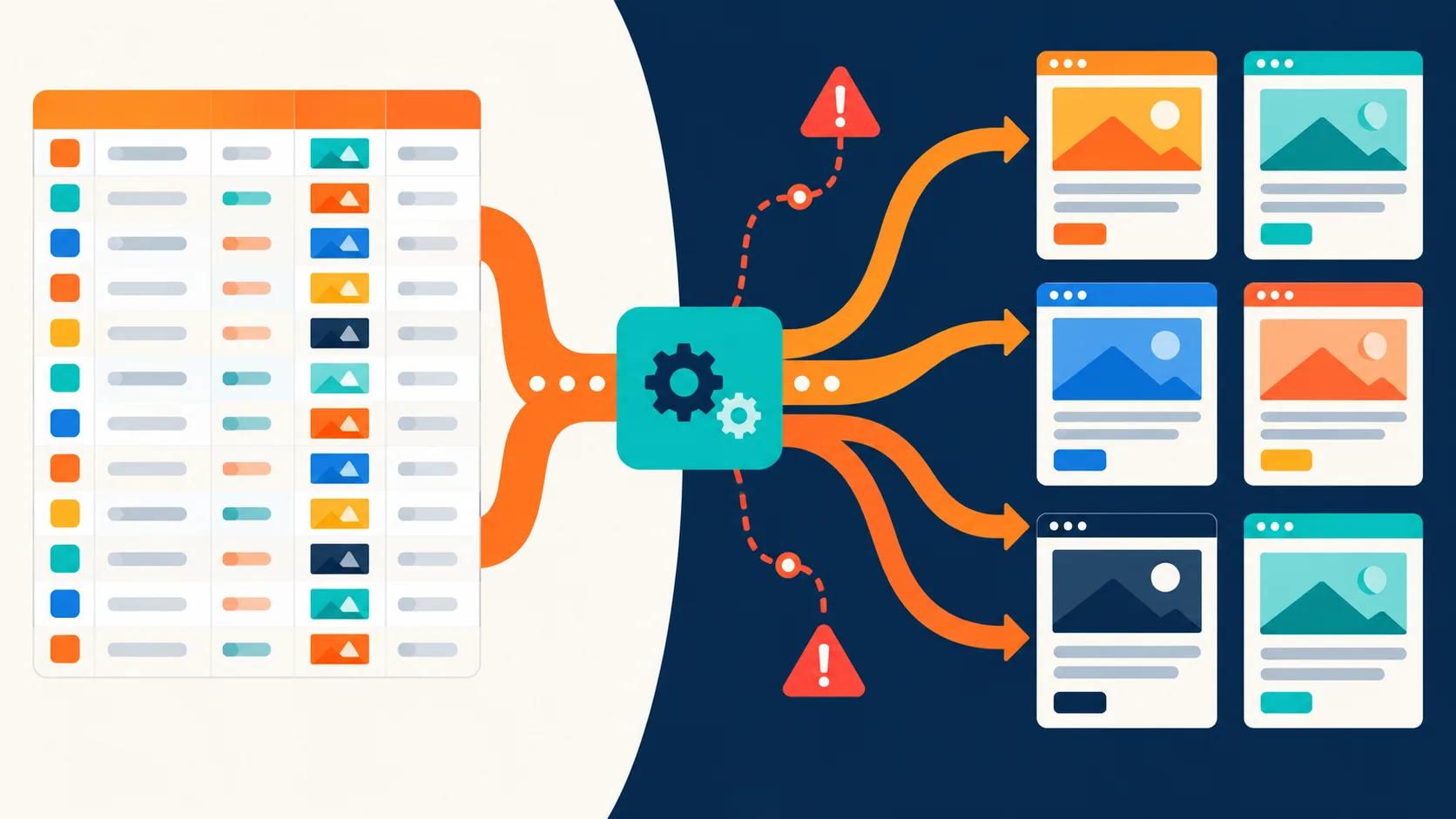
In today's competitive digital landscape, a website is more than just an online brochure; it's a critical engine for growth. Yet, many businesses treat their site like a static asset, leaving hidden issues to quietly sabotage conversions, tank search rankings, and frustrate potential customers. This is where a systematic audit becomes your most powerful tool. A thorough website audit checklist isn't just about ticking boxes; it's about uncovering actionable insights that translate directly into measurable results.
From the technical foundations that search engines favour to the seamless user experience that turns visitors into loyal advocates, this guide provides a structured, step-by-step framework. We’ve designed this checklist specifically for conversion-focused marketing sites, with practical advice for platforms like Webflow, ensuring every item is both relevant and immediately applicable. We will dive deep into ten critical areas, including technical SEO, Core Web Vitals, content quality, user experience, and conversion rate optimisation.
This comprehensive resource will empower you to pinpoint specific weaknesses and prioritise fixes effectively. You'll learn how to distinguish between quick wins that offer immediate improvements and high-impact changes that deliver long-term strategic value. Let's move beyond guesswork and build a clear, data-driven path to a faster, more effective, and more profitable website. This is your roadmap to transforming your site from a passive online presence into a high-performing asset that actively drives your business forward.
1. Technical SEO: Building a Flawless Foundation
Technical SEO is the bedrock of your website's visibility. It covers the crucial backend elements that allow search engines like Google to efficiently crawl, understand, and index your content. Without a solid technical foundation, even the most brilliant content can go unnoticed, making it a non-negotiable first step in any comprehensive website audit checklist.
Think of it as ensuring the architectural plans for your house are perfect before you start decorating. This part of the audit involves checking your sitemap's health, ensuring your robots.txt file gives the right instructions, managing duplicate content with canonical tags, and implementing structured data to earn rich snippets in search results. A clean technical bill of health is essential for any site aiming for organic growth.
Actionable Tips for Technical SEO
To get started, focus on these high-impact areas:
- Audit Crawlability with Precision: Use a tool like Screaming Frog to perform a site crawl. This will reveal critical issues like broken links (404 errors), redirect chains, and pages blocked by your robots.txt file.
- Leverage Google Search Console: This free tool is invaluable. Regularly check the Coverage report to find and fix crawl errors, warnings, and see which pages are excluded from Google's index and why.
- Implement Canonical Tags: If you have multiple pages with similar content (e.g., product variations or print-friendly versions), use the rel="canonical" tag to tell search engines which version is the primary one. This consolidates link equity and prevents duplicate content penalties.
- Optimise Your XML Sitemap: Your sitemap is a roadmap for search engines. Ensure it is clean, up-to-date, and submitted to Google Search Console. For Webflow sites, this is often handled automatically, but it's crucial to verify its accuracy. For a deeper dive into technical optimisation, you can learn more about how to optimise your website for SEO .
2. Content Audit & Quality
Your content is the lifeblood of your website, acting as the primary bridge between your business and your audience. A content audit systematically evaluates every piece of content on your site for its quality, relevance, and performance against your business objectives. It goes beyond simple proofreading to analyse how well your content meets user intent, supports your SEO strategy, and drives conversions.
This process involves assessing everything from blog posts and landing pages to service descriptions, checking for readability, keyword optimisation, and overall freshness. Companies like HubSpot have built empires on the principle of strategic content, regularly auditing and refining their material to ensure it resonates. A thorough content audit is a vital part of any website audit checklist, ensuring your message is not just heard, but is also effective and valuable.
Actionable Tips for Content Auditing
To turn your content into a high-performing asset, concentrate on these key actions:
- Create a Content Inventory: Start by compiling a spreadsheet of every content URL. Add columns for key data points like topic, word count, publish date, organic traffic, bounce rate, and conversion metrics pulled from Google Analytics.
- Analyse Performance and Identify Gaps: Use your inventory to pinpoint low-performing pages (high bounce rate, low traffic) that may need updating or removing. Simultaneously, analyse competitor content with tools like Ahrefs to find valuable topics you haven’t covered yet.
- Refresh and Consolidate Evergreen Content: Identify high-potential "evergreen" articles and update them with current statistics, new examples, and fresh insights. If you have multiple articles on similar, narrow topics, consider consolidating them into a single comprehensive "pillar page" to build authority.
- Align Content with User Intent: Ensure every page clearly matches what a user is searching for. To ensure your content truly aligns with user intent, leveraging a solid understanding of search terms is crucial. You can dive deeper into this with a comprehensive keyword research guide . This alignment is critical for both ranking and engaging visitors.
3. Page Speed & Core Web Vitals Performance
In today's fast-paced digital world, page speed is not just a feature; it's a fundamental requirement for success. Page speed and Google's Core Web Vitals measure how quickly your website loads and becomes interactive for users. These metrics, including Largest Contentful Paint (LCP), Interaction to Next Paint (INP), and Cumulative Layout Shift (CLS), are now significant ranking factors that directly influence user experience, conversion rates, and your site's SEO performance.
Think of it this way: even a one-second delay in page load time can lead to a significant drop in conversions. Major brands like Amazon have famously quantified this, finding that every 100ms of latency cost them 1% in sales. Optimising your site's performance ensures visitors stay engaged rather than bouncing out of frustration, making it a critical part of any comprehensive website audit checklist. A slow site is a leaky bucket for potential revenue and customer trust.
Actionable Tips for Performance Optimisation
Focus on these key areas to boost your site's speed and Core Web Vitals scores:
- Benchmark with PageSpeed Insights: Use Google's free tool to get a detailed performance report. It provides a score and specific, actionable recommendations, such as compressing images or deferring unused JavaScript.
- Implement Advanced Image Optimisation: Ensure all images are properly sized and compressed. Utilise modern, efficient formats like WebP or AVIF, which offer superior quality at smaller file sizes. Webflow handles much of this automatically, but it's vital to check.
- Leverage Content Delivery Networks (CDNs): A CDN stores cached versions of your site on servers around the world, delivering content from the closest location to the user. This dramatically reduces latency for a global audience.
- Minimise and Defer Scripts: Audit your third-party scripts and remove any that are non-essential. Defer the loading of non-critical JavaScript and CSS to ensure the main content renders as quickly as possible. For an in-depth guide, you can learn more about how to make your website fast and why it matters .
4. Mobile & Responsive Design
Mobile & Responsive Design is no longer an optional extra; it's a fundamental requirement for online success. This part of your website audit checklist evaluates how your site performs and appears on smaller screens. With Google’s mobile-first indexing, your mobile site is now the primary version for ranking purposes. A poor mobile experience not only frustrates users but actively harms your search engine visibility.
Think of it as ensuring your business's front door is just as grand and accessible on a phone as it is on a desktop. A thorough mobile audit involves checking for a fluid responsive layout, fast mobile page speeds, and a touch-friendly interface with readable text. A seamless experience, like Spotify's mobile-optimised interface, directly translates to higher engagement and better conversion rates, making this an essential checkpoint.
Actionable Tips for Mobile & Responsive Design
To ensure your site delights mobile users, focus on these critical areas:
- Test with Real-World Tools: Use Google’s Mobile-Friendly Test to get an instant analysis of your pages. This will flag specific issues like content wider than the screen or text that is too small to read. While browser emulation is useful, always test on actual iOS and Android devices to catch OS-specific quirks.
- Prioritise Touch-Friendly Interfaces: Ensure all interactive elements like buttons and links are easy to tap. A key usability guideline is to make touch targets at least 48x48 pixels in size. This prevents "fat finger" errors and reduces user frustration, a crucial step in any conversion-focused audit.
- Simplify Mobile Navigation and Forms: A cluttered menu is a usability nightmare on a small screen. Implement a simple, accessible navigation system like a "hamburger" menu. Similarly, streamline your forms by asking only for essential information to minimise typing and reduce abandonment rates.
- Optimise for Readability and Speed: Your body text should be a minimum of 16px to ensure it's readable without users needing to pinch-to-zoom. Additionally, minimise the use of large pop-ups or interstitials that can disrupt the user experience and lead to high bounce rates on mobile devices.
5. UX/Accessibility & Usability
A user experience (UX) and accessibility audit evaluates how easily all visitors, including those with disabilities, can navigate and interact with your website. This is not just a technical check-box exercise; it's about ensuring your digital front door is open to everyone. This part of a website audit checklist focuses on compliance with standards like WCAG 2.1, keyboard navigation, colour contrast, and the overall usability of your design.
Failing to prioritise accessibility is not only an ethical oversight but also a legal risk, as demonstrated by Target's $6 million settlement for ADA violations. Conversely, companies like Microsoft have made inclusive design a core part of their product development, improving usability for their entire user base. A truly accessible site is a more usable and conversion-friendly site for every single visitor.
Actionable Tips for UX/Accessibility & Usability
Start improving your site's inclusivity and usability with these key steps:
- Run Automated Accessibility Tests: Use browser extensions like WAVE, Axe, or the built-in Lighthouse audit in Chrome DevTools. These tools quickly identify issues like missing alt text, low colour contrast, and improper heading structures.
- Test Keyboard-Only Navigation: Unplug your mouse and try to navigate your entire website using only the Tab, Enter, and arrow keys. Can you access every interactive element, including menus, buttons, and forms, in a logical order?
- Ensure Sufficient Colour Contrast: Text must be clearly legible against its background. Use a contrast checker to ensure your text-to-background contrast ratio meets at least the WCAG AA standard of 4.5:1.
- Write Descriptive Alt Text: Every informative image needs alternative text that accurately describes its content and purpose for screen reader users. For decorative images, use an empty alt attribute ( alt="" ). For a detailed guide on enhancing usability, you can explore more on how to improve website user experience .
6. Security & SSL/HTTPS
Website security is a foundational element of user trust and a confirmed ranking factor for search engines. This part of a website audit checklist assesses your site's defences against threats, ensuring user data is protected and your site integrity is maintained. A secure website, identified by the HTTPS padlock in the browser, reassures visitors that their connection is private and encrypted.
Think of it as the digital equivalent of locking your doors and setting an alarm system. This audit involves verifying your SSL/TLS certificate is valid and correctly implemented, scanning for malware, and configuring security headers to prevent common attacks. For any business, especially those handling transactions or personal information, demonstrating robust security is non-negotiable for building credibility and protecting your brand.
Actionable Tips for Security & SSL/HTTPS
To fortify your website, concentrate on these essential security measures:
- Ensure Universal HTTPS: Every single URL on your site must use HTTPS, not just pages with forms. Use a tool to crawl your site for any remaining HTTP links (internal or external) and update them. Webflow provides free SSL certificates powered by Let's Encrypt and enables HTTPS by default on new projects, but it's crucial to verify this is active.
- Implement Security Headers: Configure headers like HTTP Strict Transport Security (HSTS) to force browsers to only use secure connections. Other headers like Content Security Policy (CSP) and X-Frame-Options provide an additional layer of defence against cross-site scripting (XSS) and clickjacking attacks.
- Keep Everything Updated: If your website utilises any third-party integrations, plugins, or custom code, ensure they are always running the latest versions. Outdated software is one of the most common entry points for malicious actors.
- Regularly Scan for Vulnerabilities: Use Google Search Console's Security Issues report to check for malware or other security problems Google has detected. You can also use external scanning tools for a more comprehensive security audit to identify potential weaknesses before they can be exploited.
Want to apply this to your own website or app?
Tell me what you are working on and where it is getting stuck. I will help you turn the useful ideas into shipped work.
7. Analytics & Tracking Implementation
Without accurate data, you’re flying blind. An analytics and tracking audit ensures your measurement tools are correctly implemented, providing reliable data to inform your business decisions. This process verifies that platforms like Google Analytics are capturing user behaviour accurately, conversion goals are aligned with business objectives, and you can trust the insights you derive from your data.
Think of it as calibrating your ship's navigation instruments before a long voyage. This part of your website audit checklist involves confirming tracking codes are present on every page, validating conversion and event tracking, and ensuring data integrity. For any business focused on growth, a properly configured analytics setup isn't just a nice-to-have; it's the foundation of every strategic marketing and product decision.
Actionable Tips for Analytics & Tracking
To ensure your data is clean and actionable, focus on these key areas:
- Migrate to Google Analytics 4 (GA4): Universal Analytics is no longer processing data. If you haven't already, make the full transition to GA4 to leverage its event-based model and future-proof your data collection.
- Centralise with Google Tag Manager (GTM): Use GTM to manage all your tracking scripts (analytics, pixels, etc.) from one central dashboard. This simplifies implementation, reduces reliance on developers, and improves site speed.
- Define and Configure Meaningful Goals: Go beyond simple page views. Set up specific conversion goals in GA4 that map directly to your Key Performance Indicators (KPIs), such as form submissions, demo requests, or e-commerce purchases.
- Standardise UTM Parameters: Enforce a consistent UTM tagging structure across all marketing campaigns. This is crucial for accurately attributing traffic and conversions, helping you understand which channels are delivering the best return on investment.
- Validate Data Accuracy: Regularly perform a data quality audit. Use tools like GA4's DebugView or browser extensions to test that events and conversions are firing correctly after a user completes a key action. This ensures your reports reflect reality.
8. Backlink Profile & Link Building
Your backlink profile is a powerful indicator of your website's authority and trustworthiness in the eyes of search engines. Auditing these inbound links is about assessing their quality and quantity, ensuring they come from reputable sources and are relevant to your industry. A strong profile, like those built by content powerhouses such as HubSpot, acts as a series of votes of confidence, directly boosting your domain authority and search rankings.
Think of it as your website's professional network. Links from well-respected, authoritative sites are like endorsements from industry leaders, while links from spammy, low-quality sites can harm your reputation. A thorough backlink audit involves analysing link sources, anchor text distribution, and identifying toxic links that need to be removed or disavowed. This part of your website audit checklist is crucial for building a sustainable SEO strategy.
Actionable Tips for Backlink Profile & Link Building
To build and maintain a healthy backlink profile, focus on these key activities:
- Analyse Your Current Profile: Use tools like Ahrefs or Semrush to get a comprehensive overview of who links to you. Look at the referring domains' authority, relevance, and the anchor text they use. This gives you a baseline for your link-building efforts.
- Identify and Disavow Toxic Links: Every site accumulates some low-quality links over time. Identify links from spammy, irrelevant, or penalised websites. For links you cannot get removed, use Google's Disavow Tool to tell the search engine to ignore them.
- Create "Link-Worthy" Content: The most sustainable way to earn quality backlinks is by creating exceptional content that people want to reference. This includes original research, comprehensive guides, data-rich infographics, and valuable free tools.
- Analyse Competitor Backlinks: Look at where your top competitors are getting their links from. This is a goldmine for finding link-building opportunities. If a high-authority site has linked to them, they might be willing to link to your superior content as well.
- Monitor Anchor Text Distribution: Ensure your anchor text profile looks natural. Over-optimising with exact-match keywords can trigger spam filters. Aim for a healthy mix of branded terms, naked URLs, and partial-match keywords.
9. Site Architecture & Internal Linking
A well-organised site architecture is the blueprint for your website, defining how pages are structured and interconnected. It guides both users and search engines through your content, establishing a clear hierarchy and distributing authority across your pages. Without a logical structure, important pages can get buried, and users can become frustrated, making this a critical component of any website audit checklist.
Think of it as organising a library. A logical system of aisles and shelves (your site structure) and a comprehensive index card system (your internal links) allows visitors to find exactly what they need quickly. Auditing your site architecture involves evaluating your URL structure, navigation flow, and internal linking patterns to ensure an intuitive experience that boosts both user engagement and SEO performance.
Actionable Tips for Site Architecture & Internal Linking
To begin refining your site’s structure, focus on these high-impact areas:
- Map and Simplify Your Structure: Aim for a "flat" architecture where your most important pages are no more than three clicks from the homepage. Visualise your site structure using a tool like Screaming Frog to identify pages that are too deep and simplify the user journey.
- Establish a Pillar-Cluster Model: For your core topics, create comprehensive "pillar" pages that provide a broad overview. Then, develop detailed "cluster" articles on related subtopics that link back to the main pillar page. This strategy, popularised by HubSpot, demonstrates topical authority to search engines.
- Optimise Your Internal Linking: Use descriptive, keyword-rich anchor text for your internal links to provide context for both users and search engines. A key part of your website audit checklist should be finding and fixing "orphaned pages" - pages with no internal links pointing to them.
- Implement Logical URL and Breadcrumb Navigation: Your URLs should be clean, readable, and reflect your site’s hierarchy (e.g., yourdomain.co.uk/services/web-development ). Implement breadcrumb navigation to help users understand their location within your site and improve internal linking.
10. Conversion Rate Optimization (CRO)
Conversion Rate Optimisation (CRO) is the systematic process of increasing the percentage of website visitors who take a desired action, such as making a purchase or filling out a form. It bridges the gap between attracting traffic and achieving business goals. A CRO audit is a vital part of any website audit checklist because it directly scrutinises the elements that generate revenue and leads.
Think of CRO as turning your website into a highly efficient sales funnel. It involves analysing user behaviour to identify friction points, testing changes to key elements like calls-to-action and forms, and implementing persuasive design to guide users towards conversion. By focusing on removing barriers and enhancing user experience, CRO maximises the value of your existing traffic, making it a powerful lever for growth.
Actionable Tips for Conversion Rate Optimisation
To begin optimising your site for conversions, focus on these high-impact areas:
- Analyse User Behaviour with Heatmaps: Use tools like Hotjar or Crazy Egg to generate heatmaps and session recordings. This visual data shows you where users click, how far they scroll, and where they encounter problems, providing clear insights into friction points.
- Simplify Forms and Calls-to-Action: Every extra field in a form is a potential reason for a user to abandon it. Reduce forms to only the essential information needed. Ensure your calls-to-action (CTAs) are clear, compelling, and use action-oriented language like "Get Your Free Trial" instead of a passive "Submit".
- Implement Social Proof and Trust Signals: Build credibility by displaying customer testimonials, reviews, case studies, and trust badges from security providers or industry associations. This reassures hesitant visitors and reduces perceived risk, making them more likely to convert.
- Run Structured A/B Tests: Don’t guess what works; test it. Use A/B testing tools like Optimizely or VWO to test one variable at a time, such as a headline, button colour, or page layout. This data-driven approach ensures your changes are genuinely improving performance. Ultimately, the goal of an audit is to identify opportunities for building a conversion-ready platform that effectively turns visitors into customers.
10-Point Website Audit Comparison
From Audit to Action: Building a Cycle of Continuous Improvement
You’ve navigated the comprehensive website audit checklist , meticulously examining everything from technical SEO and Core Web Vitals to user experience and conversion funnels. This intensive review is a monumental achievement, but its true power is only unlocked when you translate insight into impactful action. The goal isn't just to identify problems; it's to build a resilient, high-performing digital asset that evolves with your business.
The raw data from your audit can feel overwhelming. The key is to move from a long list of findings to a structured, prioritised roadmap. This process prevents analysis paralysis and ensures your efforts are focused where they matter most. Think of it not as a one-off project, but as the beginning of a cycle of continuous improvement.
Prioritising Your Action Plan: Quick Wins vs. High-Impact Projects
Your first step is to categorise your findings. Create a simple framework to sort tasks based on their potential impact and the effort required to implement them. This strategic approach ensures you gain momentum early while planning for more significant, long-term enhancements.
- Quick Wins (Low Effort, High Impact): These are the low-hanging fruit that can deliver noticeable results without draining resources. Fixing broken internal links, compressing oversized images to improve page speed, updating page titles and meta descriptions for better SERP visibility, or clarifying a confusing call-to-action button are perfect examples. Ticking these off first provides immediate value and builds confidence.
- High-Impact Projects (High Effort, High Impact): These are the game-changers. This category includes larger initiatives like a complete site architecture overhaul to improve crawlability, a major content refresh to align with new keyword strategies, or a redesign of key landing pages to boost conversion rates. These require careful planning, resource allocation, and stakeholder buy-in. Schedule them thoughtfully within your marketing calendar.
- Essential Housekeeping (Low Effort, Low Impact): These tasks might not revolutionise your performance overnight, but they are crucial for maintaining a healthy website. Think of tidying up URL redirects, fixing minor accessibility warnings (like missing alt text on decorative images), or standardising your heading structure across blog posts. Group these tasks and tackle them in batches during quieter periods.
Key Takeaway: A website audit is not a final exam; it's a diagnostic tool. The real work begins when you use the results to create a strategic, prioritised action plan that balances immediate gains with long-term strategic goals.
Cultivating a Culture of Continuous Auditing
The digital landscape is in constant flux. Search engine algorithms evolve, user expectations shift, and your own business goals change. A website audit performed today will not be entirely relevant in a year's time. To stay ahead, you must integrate regular audits into your operational rhythm.
Consider establishing a recurring schedule:
- Quarterly Audits: A thorough review every three months is ideal for most businesses. This allows you to catch issues before they escalate, adapt to recent algorithm updates, and refine your strategy based on performance data.
- Annual Deep Dives: Once a year, conduct a comprehensive, top-to-bottom audit, revisiting every single item on this checklist. This is the perfect time to challenge your assumptions, assess your overall digital strategy, and set ambitious goals for the year ahead.
By embedding this process into your workflow, you transform your website from a static brochure into a dynamic engine for growth. You move from a reactive state of fixing problems to a proactive state of optimising for opportunities. Completing this website audit checklist is your first step towards mastering this powerful cycle.
Feeling overwhelmed by your audit findings or need an expert to implement high-impact fixes on your Webflow site? Derrick.dk specialises in transforming audit insights into tangible results, turning your website into a powerful customer acquisition tool. Partner with an expert to ensure your Webflow site is not just beautiful, but technically sound, fully optimised, and built to convert.

.jpg)