A Practical Guide to Creating a Wireframe That Works
%20(1).avif) Written by Derrick Kityo
Written by Derrick KityoLearn how to approach creating a wireframe with practical, real-world advice. This guide covers everything from core strategy to developer handoff.
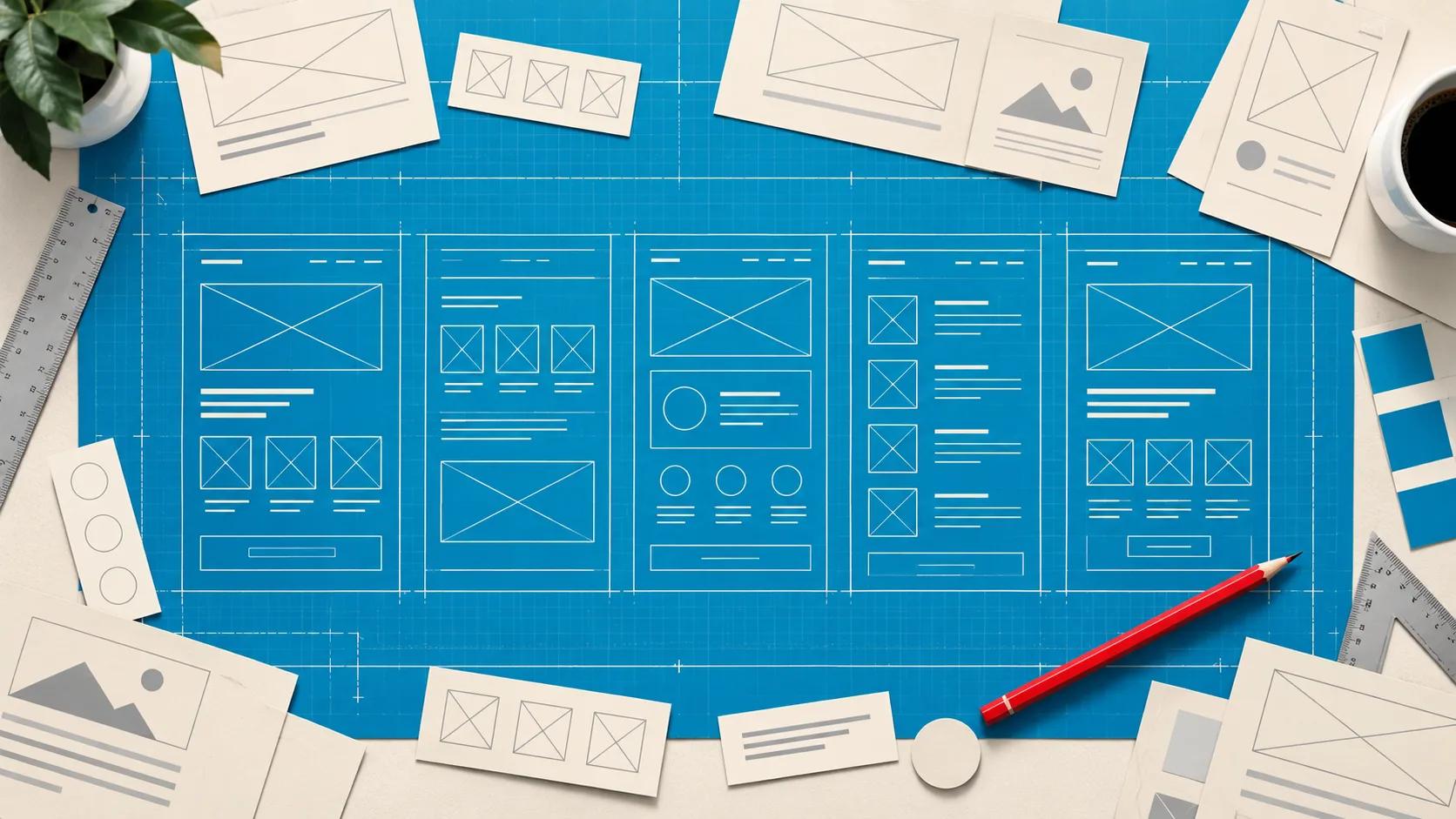
Before you even think about fonts or start playing with colour palettes, you need a plan. Every great website or app starts with a solid structure, and that's where wireframing comes in. It’s the essential first step—a simple, low-cost blueprint that lays out the skeleton of your digital product.
This process is all about structure, layout, and how things work. It forces you to map out your ideas and user journeys before getting bogged down in the expensive, time-consuming details of visual design and development.
Why a Wireframe Is Your Project’s Most Important Blueprint
Jumping straight into the visual design without a wireframe is like trying to build a house without architectural drawings. It's a surefire way to end up with scope creep, blown budgets, and a user experience that feels completely disjointed. A wireframe acts as the foundational skeleton, making sure every single element has a clear purpose and a logical place before any aesthetic choices are made.
Think of it as your single source of truth. A simple wireframe gets everyone—from stakeholders to designers and developers—on the same page about the core user flow. By stripping away distractions like brand colours and fancy images, it forces the entire team to concentrate purely on function and structure. Getting this alignment early on is priceless; it prevents costly misunderstandings and rework later.
De-Risking Your Project From Day One
Honestly, the biggest win with wireframing is how it minimises risk. By visualising the layout and user path right at the start, you can catch potential usability issues and structural problems when they're still easy and cheap to fix. It's far better to spot a confusing navigation menu in a simple black-and-white sketch than after weeks of coding.
This early validation is perfect for rapid iteration. You can throw a low-fidelity draft in front of users or stakeholders, get crucial feedback, make changes in minutes, and test it all over again. It’s an agile approach that guarantees the final product is built on a solid, user-focused foundation.
A Framework for Clarity and Focus
A good wireframe provides a clear roadmap for the entire team, making everyone's job easier.
- For Designers: It sets the layout constraints and visual hierarchy before they start adding the brand identity and visual polish.
- For Developers: It’s a precise guide to the structure, elements, and functionality needed for each page, which cuts down on guesswork during the build.
- For Copywriters: It shows exactly where text needs to go and what kind of content is required, giving them the context they need to write effective copy.
In a competitive market, efficiency is everything. To really get why this is your project’s most important blueprint, you need a solid grasp of understanding User Experience Design , which is all about creating products that people genuinely enjoy using. The wireframe is the first real, tangible step in making that happen.
A wireframe turns an abstract idea into a tangible concept that your team can debate, test, and improve. It’s the bridge between initial strategy and final execution.
With economic pressures mounting, proving value is more important than ever. In the UK web design industry, revenue has contracted, emphasising the need for efficient, results-driven services. Wireframing has become a key differentiator, enabling agile workflows that align with client expectations and demonstrate a clear return on investment. Ultimately, skipping this stage isn't a shortcut; it's a gamble with your time, budget, and the user's experience.
Setting the Stage with Goals and User Flows
Before you draw a single box, a truly effective wireframe starts with one simple question: what is this page supposed to do ?
Jumping straight into layouts without clear goals is like setting off on a road trip with no destination. You might wander around for a bit and see some interesting things, but you won't get anywhere meaningful. The result is often a collection of screens that look fine but fail to guide users toward any real action.
Every single decision—from where you place a button to the order of the sections—needs to be deliberate. Are you trying to get users to sign up for a trial? Buy something? Find a critical piece of information? Nailing this down upfront is what turns a simple sketch into a powerful business tool.
Defining Your Project Goals
First things first, get together with your stakeholders and agree on the primary purpose of each key screen. A homepage for a SaaS business, for example, might have the main goal of "driving demo requests," while a secondary goal could be "encouraging newsletter sign-ups."
Writing these down brings an incredible amount of clarity. For instance:
- Primary Goal: Capture qualified leads by getting users to complete the contact form.
- Secondary Goal: Educate visitors on our core services through clear, scannable content.
- User Goal: Quickly figure out if this service solves my specific problem and find pricing easily.
This simple exercise ensures every element you add serves a purpose. If a new section doesn't support one of these goals, you have a solid reason to cut it, which keeps the page focused and free of clutter.
Choosing the Right Fidelity for the Job
Fidelity is just a fancy word for the level of detail in your wireframe. There’s no single "best" type; the right one depends entirely on where you are in the project and what you're trying to achieve.
Low-Fidelity (Lo-Fi) Wireframes
Think of these as quick, rough sketches. We're talking simple blocks, lines, and placeholder text. Lo-fi is perfect for the early days when you're just exploring different layouts and need to move fast. They are intentionally unpolished, which is great because it forces everyone to focus on structure and flow, not get distracted by colours and fonts.
Mid-Fidelity (Mid-Fi) Wireframes
This is often the sweet spot for most projects. Mid-fi wireframes are more defined, using greyscale to establish a clearer visual hierarchy. They often include real (or at least realistic) copy, giving a much better sense of the final layout without getting bogged down in the fine details of visual design.
High-Fidelity (Hi-Fi) Wireframes
Hi-fi wireframes look almost identical to the final product. They usually include specific typography, precise spacing, and can even have interactive elements. These are best saved for final user testing or as a detailed blueprint for developers, leaving very little room for guesswork.
The aim isn't to create the most detailed wireframe possible. It's to create the right wireframe to communicate ideas, gather feedback, and make smart decisions at your current stage of the project.
This diagram shows how wireframing acts as the glue that aligns teams, helps gather early feedback, and builds a strong foundation for the entire project.
It all comes down to communication. A good wireframe gets everyone on the same page long before any significant time or money has been spent.
Mapping the User Flow
With your goals set and fidelity chosen, it’s time to map out the user flow. This is simply the path someone takes through your site or app to get something done. Don't design pages in isolation; think about the entire journey.
For an e-commerce site, a common flow might look like this:
- Homepage: A user spots a banner for a new product and clicks on it.
- Product Page: They check the details, pick a size, and hit "Add to Basket."
- Basket Page: They review their order and decide to proceed to checkout.
- Checkout: They fill in their shipping and payment info to finish the purchase.
Visualising this journey forces you to create a connected and intuitive experience. It helps you anticipate what a user needs at each step, ensuring the right information and actions are available at precisely the right time. This foundational work is what separates a confusing website from one that feels effortless.
Right, you've got your goals locked down and your user journeys mapped out. Now for the fun part: translating that strategy into an actual structure. This is where your wireframe starts to take shape, moving from abstract ideas to a tangible blueprint.
But hold on. This isn't just about slapping some grey boxes on a canvas. We're talking about building the skeleton of your page, organising information with purpose, and deliberately guiding your user's eye where you want it to go.
It all starts with a solid visual hierarchy . This is a core design principle that simply means the most important stuff on the page should grab the most attention. By playing with size, placement, and even the empty space around elements, you can create a layout that naturally pulls someone towards the main call-to-action, like that big "Request a Demo" button.
Think of it like laying out a newspaper. The headline is massive and bold for a reason—it’s the most critical piece of information. Your wireframe needs to do the same. Your key value proposition or primary action should be unmissable, even if someone only glances at the page for a few seconds.
Leveraging Familiar UI Patterns
Here's a secret: you don't need to reinvent the wheel. Your users have been browsing the web for years; they come with a built-in set of expectations. UI patterns are just reusable solutions to common design problems. Tapping into them makes your site feel instantly familiar and easy to use.
For instance, instead of dreaming up some wild, avant-garde navigation system, just stick a standard navigation bar at the top for desktop or a tab bar at the bottom for mobile. This familiarity lowers the cognitive load—users don't have to waste brainpower figuring out how to get around. They can just focus on what they came for.
A few classic patterns you'll want to have in your toolkit include:
- Z-Pattern Layout: Great for simpler, less text-heavy pages. The eye naturally scans from top-left to top-right, then cuts diagonally to the bottom-left, and finally moves across to the bottom-right. Place your most important elements along this path.
- F-Pattern Layout: This one is key for content-heavy pages like blog posts or search results. Users scan the top two headlines, then their eyes drift down the left side, looking for keywords before reading across again.
- Cards: Perfect for breaking up information into digestible, self-contained chunks. Think blog post previews, team member bios, or product features. They make complex info much easier to scan.
Building a Conversion-Focused Layout
Every single choice you make in your layout should serve your main goal. If that goal is getting leads for your new SaaS product, then your homepage wireframe needs to be laser-focused on that outcome. It's about crafting a narrative, carefully placing each section to build a compelling argument.
A battle-tested structure for a conversion-focused page often looks something like this:
- Hero Section: A punchy headline, a sub-headline that nails the value, and a can't-miss call-to-action (CTA) button.
- Social Proof: A quick hit of credibility. Slap some logos of companies that already use your product right below the hero.
- Problem/Solution: Clearly state the user's pain point, then immediately position your features as the answer to their problems.
- How It Works: Keep it simple. A three or four-step visual breakdown of your process is all you need.
- Testimonials: Nothing builds trust like real words from happy customers. This adds that crucial human element.
- Final CTA: Give them one last, clear opportunity to convert before they hit the footer.
This logical flow gently guides a visitor from initial awareness all the way to taking action. If you want to go deeper on this, our guide on web page layout design has a ton of extra strategies.
The most effective layouts aren't necessarily the most creative; they're the most clear. Your wireframe should always prioritise function and clarity, making sure a user never has to stop and think about what to do next.
By applying these structural principles, you turn a messy user flow diagram into an organised, intuitive layout. This is the critical step that transforms a simple sketch into a strategic blueprint for a design that not only looks good but actually works.
Want to apply this to your own website or app?
Tell me what you are working on and where it is getting stuck. I will help you turn the useful ideas into shipped work.
Bringing Your Wireframe to Life in Figma
Alright, you've got your user flows mapped out and the rough structure sketched on paper. Now it's time to bring that vision into a professional design tool. We'll be using Figma for this, and for good reason. It’s collaborative, surprisingly powerful, and doesn't have a scary learning curve. This is the point where your blueprint starts to feel like a real, tangible thing.
The very first thing we need to do is get the workspace set up properly. I can't stress this enough—a little bit of organisation now will save you a world of pain later. This isn't about being artistic; it's about building a solid, logical foundation for your design.
Setting Up Your Artboards and Grid
In Figma, your canvas for a single screen is called a 'Frame' . Think of it as an artboard. Go ahead and create separate frames for each key screen you've identified in your user flow. One for the homepage, another for the product page, one for the checkout process, and so on.
Do yourself a favour and name them clearly. Something like "Homepage - Desktop" or "Product Details - Mobile" makes navigating a complex file so much easier.
Next up is the layout grid. A grid is just a set of invisible guides that helps you align everything consistently. For most web projects, a standard 12-column grid is the perfect starting point. It ensures your buttons, images, and text blocks aren’t just floating around randomly but have a deliberate, organised placement. This structure is what separates amateur designs from professional, polished work.
Building with Basic Shapes and Text
You don't need to be an illustrator to wireframe in Figma. Seriously. Your main tools are going to be the simplest ones available.
- Rectangles: These are your best friend. A big rectangle? That's your hero image. A smaller one? That's a button. A whole series of them? You've got a product gallery.
- Circles/Ovals: These are great for things like profile pictures, user avatars, or specific types of icons.
- Text Tool: Use this to drop in placeholder copy, button labels, and all your headings. Don't get hung up on picking the perfect font right now; a simple system font like Arial or Inter is all you need.
The goal here is pure clarity, not beauty. A good tip is to use different shades of grey to show visual hierarchy. For example, a dark grey box could represent your main call-to-action button, while a lighter grey one could be a secondary action. It’s a simple trick that communicates importance without the distraction of colour.
Your wireframe should feel like an architectural drawing—clean, structural, and focused entirely on function. Every box and line should answer the question, "What does this do and where does it live?"
The Magic of Reusable Components
This is where you can really start to work smart, not just hard. As you're building out your screens, you'll notice you're drawing the same things over and over again—buttons, input fields, navigation links. Instead of copy-pasting, turn them into components .
A component is basically a master element. You create it once, then reuse it everywhere. The magic happens when you need to make a change. Let's say you've made a "Primary Button" component and later decide the text needs to be bigger. You just edit the main component, and every single instance of that button across your entire file updates automatically.
This gives you two massive wins:
- Consistency: It's a guarantee that every button or form field looks and acts the same way across the whole site.
- Efficiency: It saves an unbelievable amount of time, especially on big projects with dozens of screens.
Getting into the habit of building a small library of components for things like buttons, inputs, and your header/footer is one of the best things you can do. To see how this fits into the bigger picture, check out our guide on moving from a Figma design into a functional Webflow site .
Speeding Up with Wireframe Kits
On a tight deadline? Or maybe you just want to get your ideas down as fast as possible? You don't always have to start from a blank canvas. The Figma Community is packed with pre-built wireframe kits .
.png)
These kits are treasure troves of common UI elements—buttons, forms, navigation bars, icons, even entire page sections—all ready for you to just drag and drop into your frames. Using a kit lets you skip the tedious part of drawing basic shapes and focus entirely on the layout and user experience. It's a huge time-saver that can help you mock up screens in minutes instead of hours.
Designing for Every Device with Responsive Wireframes
Your design doesn't just live on a single screen. Let's be real—it needs to flow seamlessly from a sprawling desktop monitor, to a tablet, and right down to the phone in someone’s pocket. Planning for this from the very beginning isn't just a good idea; it's non-negotiable.
This is where responsive wireframes come into play. If you put off thinking about mobile until the end, you're not just creating a design headache for yourself. You're actively designing a frustrating experience for a huge chunk of your audience. A layout that looks stunning on your big screen can easily become a jumbled, unusable mess on a mobile device without a solid plan.
Responsive wireframes force you to confront how content and navigation need to adapt, ensuring your core message stays clear, no matter the device.
Choosing Your Responsive Strategy
When it comes to responsive design, you'll generally hear about two main philosophies: desktop-first and mobile-first. Neither is universally "better," but one will almost certainly be a smarter fit for your specific project.
To help you decide, here’s a quick breakdown of how these strategies compare in practice.
Responsive Design Approaches
Ultimately, the mobile-first approach has become the industry standard for good reason. It aligns with user behaviour and forces a discipline of focus that benefits the design across all screen sizes.
Translating Layouts Across Breakpoints
The real craft of responsive wireframing is mapping out how your layout will transform at different breakpoints —the screen widths where your design shifts. This is about more than just shrinking things down; it’s about fundamentally rethinking the structure to keep it usable and intuitive.
Here are a few common transformations you'll need to sort out:
- Grid Systems: A classic three-column layout on a desktop is a prime example. On a tablet, it might reflow into two columns, and on mobile, it will almost certainly stack into a single, scrollable column.
- Navigation Menus: That expansive horizontal nav bar with dropdowns? It’s a goner on mobile. Your wireframe needs to show how it collapses into a compact "hamburger" icon that reveals the menu when tapped.
- Interactive Elements: Big, easy-to-click buttons on a desktop need to be reconsidered for touchscreens. Make sure they’re large enough to be tapped accurately with a thumb without frustration.
The goal of a responsive wireframe isn't to create three separate designs. It's to create one cohesive design system that intelligently adapts to its environment, providing an optimal experience everywhere.
Building Variants in Figma
Thankfully, modern tools like Figma make creating responsive versions a breeze. Instead of juggling separate files, you can create different-sized frames for your key breakpoints—typically desktop, tablet, and mobile—right next to each other on the same canvas. For anyone interested in the bigger picture, it's worth understanding Figma’s expanding influence in design and its tightening integration with developer workflows.
By leaning on components and auto-layout features, you can make a change in one spot (like tweaking a button style) and watch it update across all your screen sizes instantly. This gives developers and stakeholders a crystal-clear picture of how the interface should behave, wiping out guesswork and paving the way for a consistent user experience. If you need a deeper dive, we’ve got a detailed guide on how to make your website mobile-friendly right from the start. This prep work is what ensures your final build is robust, intuitive, and ready for whatever device it’s viewed on.
Annotation Handoff and Preparing for Feedback
Alright, you’ve done the heavy lifting. Your wireframe is looking solid, you've sorted out the responsive views, and it's almost ready for its first big reveal. But before you send it out into the world, there's one last, crucial step: preparing it for other people's eyes.
A collection of grey boxes without context is just abstract art. It doesn't communicate anything. The goal now is to turn that static layout into a clear, actionable blueprint that anyone—from a stakeholder to a developer—can understand instantly. This is where you bridge the gap between your design intent and your team's interpretation.
The Art of Clear Annotation
Think of annotations as the director's commentary for your design. They're the short, sharp notes you add directly to your wireframe to explain the bits that aren't visually obvious. Their job is to answer the "why" and "how" behind your choices, leaving no room for guesswork.
Your notes need to be clear, brief, and purposeful. Don't describe what people can already see; focus on the hidden logic and functionality.
- Explain Interactions: What happens when a user clicks that button? What's the hover state for this link? Spell it out. A simple note on a "Submit" button could be: "On click, show success message and clear form fields."
- Define Business Rules: Your design often has to follow specific rules. Document them. On a checkout page, you might specify: "Discount code field only appears if user's address is in the UK."
- Clarify Content Requirements: Give your content team a heads-up. A note on a user profile section might say: "Username has a 20 -character limit."
The key is to put yourself in someone else's shoes. Imagine you're a developer seeing this for the very first time. What questions would you have? Answer them before they're even asked.
Presenting Your Work for Actionable Feedback
Sharing your wireframe isn't about fishing for compliments or getting a simple "looks good." You're hunting for valuable insights that will make the design stronger. And how you frame the conversation makes all the difference. Just dropping a link in Slack with a "What do you think?" is a recipe for vague, unhelpful feedback.
Instead, you need to guide the discussion.
First, start with the goals. Before anyone even sees a single screen, quickly remind them what problem you're trying to solve. This keeps the feedback focused on strategy, not just whether someone likes the look of a button.
Next, walk them through the user flow. Tell a story. Guide your audience through the journey screen by screen, explaining the user's path from A to B. This helps them see the design as a connected experience rather than a random collection of pages.
Finally, ask specific, targeted questions. To avoid the dreaded "I just don't like it," prompt them with focused queries. Try asking things like, "Does this checkout process feel straightforward?" or "Is it totally clear what you need to do after adding an item to your basket?"
Remember, feedback at this stage is all about structure, flow, and hierarchy. Gently steer the conversation away from things like colours and fonts. That comes later. Right now, you're just making sure the skeleton is solid.
Preparing for a Smooth Developer Handoff
Once you've gathered feedback and tweaked your wireframes, it's time to package them up for the development team. A clean, well-prepared handoff is one of the single biggest things you can do to ensure the final build actually matches your vision. Developers thrive on clarity.
Your handoff file should be meticulously organised, leaving nothing to chance. At a minimum, make sure it includes:
- Fully Annotated Wireframes: Every interactive element, user flow, and piece of logic needs to be clearly documented right there on the canvas.
- Responsive Breakpoints: Show exactly how the layout should adapt for desktop, tablet, and mobile. Don't make them guess.
- A Clear Naming Convention: Name your layers and frames in Figma or XD logically. A tidy file is a developer's best friend.
Creating the wireframe is just the first part of the job. A successful handoff is what ensures your blueprint gets built to spec, paving the way for a seamless transition into visual design and development.
A well-structured website starts with a solid blueprint. Derrick.dk specialises in turning thoughtfully crafted wireframes into high-performing, conversion-focused Webflow sites. If you're ready to translate your vision into a website that gets results, book a call with Derrick.dk to diagnose issues and build a site that truly converts.

.jpg)