Your healthcare website form shouldn’t collect a medical history by accident
%20(1).avif) Written by Derrick Kityo
Written by Derrick KityoA general message box can collect sensitive information unexpectedly. Map the purpose, fields, storage and receiving team before connecting a healthcare form.
A box labelled “Tell us more” can collect far more than a website team intended. Someone asking about a service may describe a condition, attach a letter or explain what happened at an appointment.
That message then has to go somewhere. It might appear in a form dashboard, an email inbox, an automation log and a CRM. The website has created a data-handling job before anyone has decided who should do it.
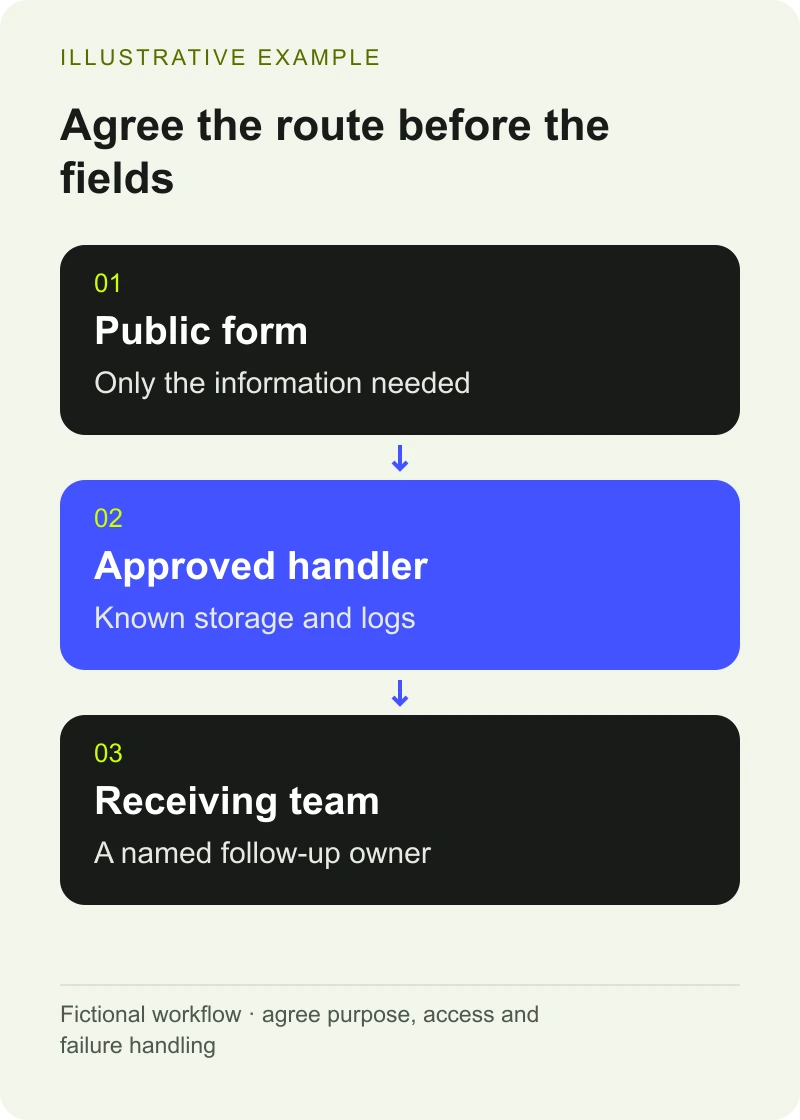
I’d start a healthcare form project with the destination and purpose of the information. The fields come after that.
Separate the reasons people need to contact you
A healthtech sales enquiry and a patient asking about treatment shouldn’t share a route just because both end with a message.
Give people clear choices that reflect the service you can provide. A software demonstration request can ask about an organisation and its interest in the product. A patient-related request may need an established booking or clinical service with different permissions and processes.
Explain the boundary before somebody starts typing. If the public form is for business enquiries, say so beside the form. Offer a real alternative for someone whose request belongs elsewhere. Ask the organisation’s clinical team to approve any wording about urgent or clinical contact.
Removing a large text box won’t solve every problem. Someone can still enter sensitive information into an unexpected field. The receiving team needs a way to recognise and handle that situation.
Decide what each answer changes
For every field, ask what the recipient will do differently because they have the answer. If nobody can explain that, the field probably needs another discussion.
The ICO’s data-minimisation guidance says personal data should be adequate, relevant and limited to what is necessary for its purpose. It doesn’t mean collecting as little as possible regardless of whether the service can work. It means defining the purpose and collecting what it needs.
For a fictional clinical-software demo request, the planning conversation might look like this:
Proposed answer: Work email
Why the sales team wants it: Reply to the enquiry
Decision before adding it: Confirm which addresses the process accepts
Proposed answer: Organisation
Why the sales team wants it: Understand the context
Decision before adding it: Decide whether a name is enough
Proposed answer: Area of interest
Why the sales team wants it: Route the discussion
Decision before adding it: Use clear product options the team recognises
Proposed answer: Patient example
Why the sales team wants it: Explain a workflow
Decision before adding it: Remove from the marketing form; agree another process if genuinely needed
This is an example of scoping a form, rather than a prescribed set of fields. Your purpose and responsibilities may be different.
Want to apply this to your own website or app?
Tell me what you are working on and where it is getting stuck. I will help you turn the useful ideas into shipped work.
Draw the whole route before connecting tools
Write down every place a submission can be stored or viewed. Include form storage, email notifications, integrations, CRM records, support tools and logs. Ask which people can access each copy and how long it remains there.
A useful routing note can be short: the website accepts a business enquiry, the integration creates the agreed CRM record, and the named team follows up. Alongside it, record what happens when a message belongs to a different service.
Don’t assume that switching to a particular tool resolves the organisation’s obligations. The ICO’s guidance on special-category processing explains the need for an Article 6 lawful basis and a separate Article 9 condition where special-category data is processed. The organisation needs appropriate privacy expertise to decide how those rules apply.
At the time of writing, the ICO marks that guidance as under review following the Data (Use and Access) Act. Check the current position during the project rather than copying an old compliance statement into a new form.
Make the form understandable before making it clever
Use visible labels and explain any answer that needs a particular format. If something goes wrong, identify the problem and help the person correct it. The W3C forms tutorial provides the underlying accessibility guidance.
Avoid errors that wipe a message or send someone back to the beginning without explanation. Check the experience on a phone as well as with a keyboard. If you embed a provider’s form, include that embed in the review.
The confirmation should say what actually happened. “We’ve received your enquiry” is useful if the receiving system has accepted it. A promise of a response by a particular time needs an operational agreement behind it.
Test the failure that the visitor can’t see
Use fictional test data and follow it through the complete route. Check whether the correct team received it and whether the fields still mean what they meant on the page.
Then test an interruption. The integration might reject a field, the destination might be unavailable or a notification might fail. Agree how the submission is retained or rejected, who is alerted and how the visitor avoids submitting the same request repeatedly.
Retries need attention too. A repeated delivery should be recognisable as the same enquiry where the systems allow it. Otherwise, a brief outage can leave the receiving team with duplicates and no clear history.
For CRM work, I scope the website-to-HubSpot handoff around the fields, ownership and failure path. That scope still needs to reflect the information your organisation has decided the website may handle.
Give the receiving team a handover
Before launch, show the staff member a normal test, a failed test and a misdirected enquiry. They should know where to look and who can fix the connection. Include account ownership and the process for changing a field later.
That last part matters. A small copy edit can change what people disclose. A new notification recipient can change who sees it. Treat changes to the form as changes to a working process.
The healthcare website review sheet gives your team somewhere to record those responsibilities. Bring the current form and a diagram of its destinations; the diagram can be a few labelled boxes.
Frequently asked questions
Can a general contact message contain health data?
Yes. The content can reveal information about someone’s health even if the form wasn’t designed for that purpose. Review the possible messages and their route, rather than deciding sensitivity from the form’s title alone.
Does a consent checkbox make a healthcare form suitable for sensitive information?
A checkbox alone doesn’t establish that the processing is appropriate. The organisation must determine its lawful basis, any applicable special-category condition and the safeguards and processes needed for the intended use.
What should we test before launching a healthcare enquiry form?
Test accessible completion, validation, acknowledgement, delivery to the right team and an unavailable destination. Use fictional data. Agree how staff handle duplicates and enquiries that belong to another service.

.jpg)